
How to reduce appointment no-shows with a better CRM workflow
Build a calmer booking process with clear confirmations, limited reminders, easy rescheduling, visible ownership and respectful follow-up.
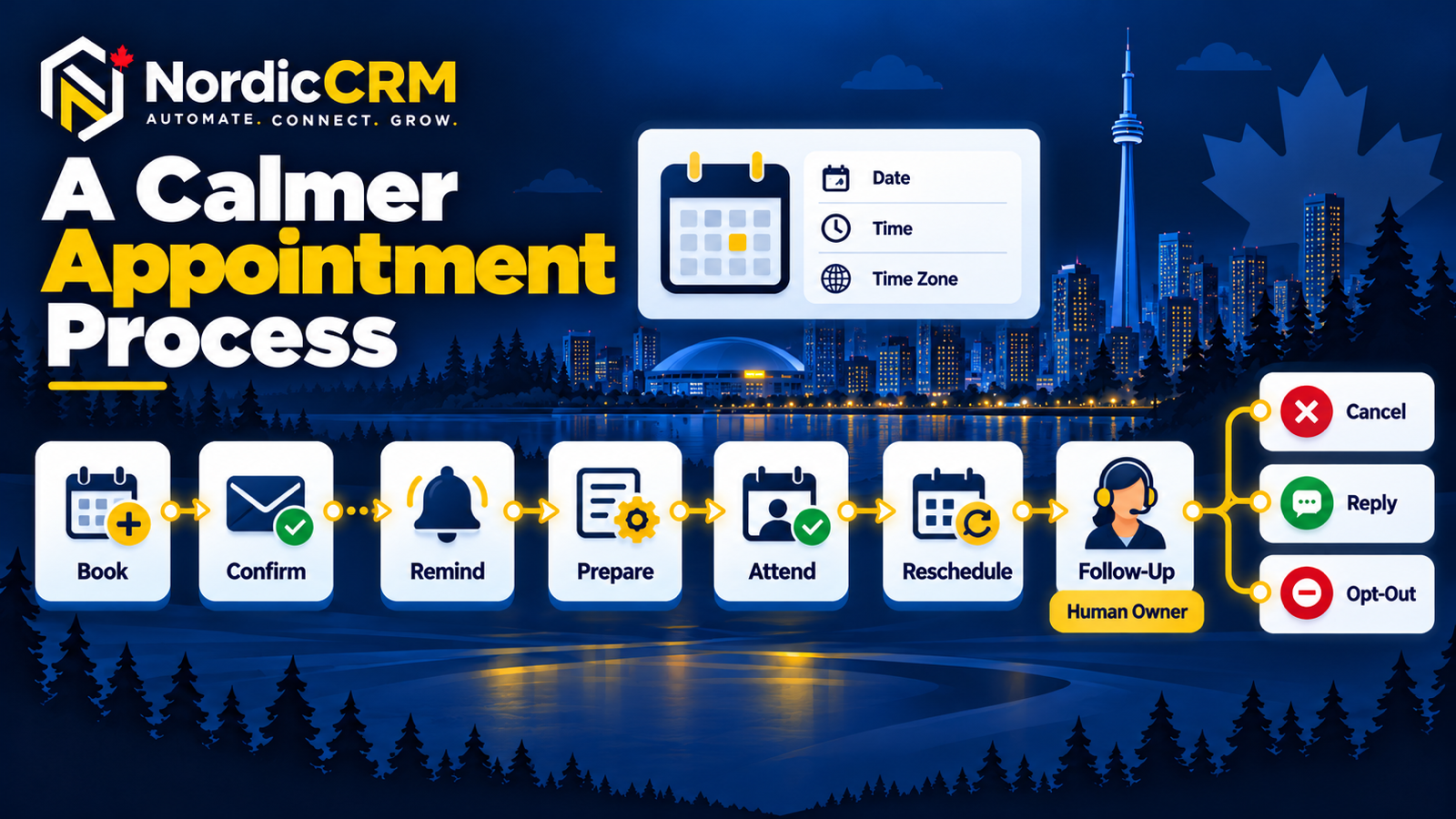
No-show reduction starts before the reminder
Customers are more likely to act correctly when the service, duration, location, time zone, preparation and cancellation path are clear at booking. The CRM should preserve that context and stop obsolete messages when the appointment status changes.
Unclear appointment type
Generic booking names hide duration, eligibility, preparation and who will handle the appointment.
Wrong time or location
Missing time zones, links or addresses create preventable confusion.
Reminder overload
Too many messages can frustrate customers and still fail to explain the next step.
Difficult rescheduling
A customer who cannot change the time easily may simply not attend.
Obsolete automation
Reminders continue after a cancellation, reschedule, reply or opt-out because exit rules were not tested.
No internal owner
The team sees the booking but lacks the context and responsibility to prepare or intervene.
A seven-step appointment workflow
The appointment status should control the next message. Automation handles repeatable administration; a named person handles replies, uncertainty and exceptions.
Define
Create distinct appointment types when service, duration, location, preparation or eligibility differs.
Capture
Record the contact details and operational context the team actually needs. Avoid unnecessary sensitive data.
Confirm
State the business, appointment type, date, time zone, location or link, preparation and change path.
Remind
Use a limited sequence suited to the service and lead time. Keep the message recognizable and useful.
Branch
Reschedule, cancel, reply, opt-out and duplicate states must stop or redirect obsolete messages.
Prepare
Give the assigned person the booking context, next action and time to handle exceptions.
Follow up
When a customer does not attend, offer one respectful next step without blame or an endless sequence.
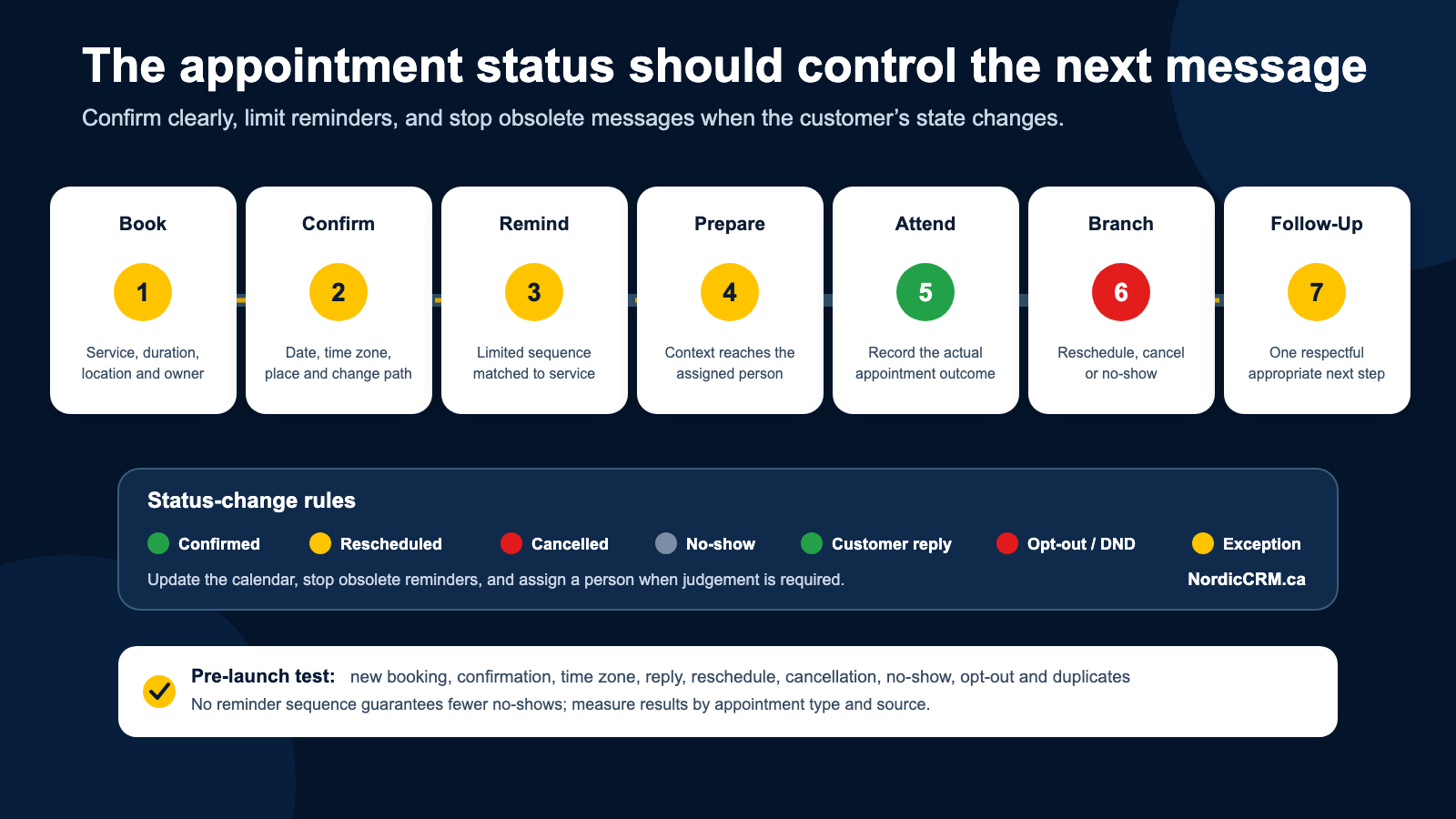
Workflow framework only. Results depend on appointment type, audience, timing, data quality and execution.
What every confirmation should make clear
Identity and purpose
Name the business and appointment type so the customer recognizes the message.
Date, time and time zone
Use an explicit time zone when customers or staff may be in different regions.
Location or meeting link
Provide the exact address, joining instructions or approved virtual-meeting link.
Preparation
Explain what the customer should bring, complete or expect—without requesting sensitive data unnecessarily.
Change path
Offer a supported way to reschedule, cancel or ask for human help.
Communication controls
Identify the sender and respect consent, opt-outs, do-not-disturb status and applicable channel rules.
Pre-launch test matrix
Run the workflow with synthetic test records before using it with customers. Confirm both the message received and the internal state created.
| Test | Expected customer experience | Expected CRM behaviour |
|---|---|---|
| New booking | One clear confirmation with correct time, zone and location | Correct contact, calendar, owner and appointment status |
| Reschedule | Updated details; old reminders stop | Original state replaced or linked without duplicate active sequences |
| Cancellation | Cancellation acknowledged; future reminders stop | Status updated and assigned team notified when required |
| Customer reply | Reply reaches a monitored person | Automation pauses or branches according to the approved rule |
| No-show | One respectful recovery option | Outcome recorded and next action assigned |
| Opt-out / DND | Applicable promotional messages stop | Preference preserved across relevant workflows |
| Duplicate contact | No conflicting or repeated reminders | Identity and active workflow are reconciled before launch |
Measure the process, not just message volume
Operational measures
- Booked, confirmed, rescheduled, cancelled and no-show appointments.
- Time between booking and appointment.
- Results by appointment type and source.
- Reply and reschedule rates by reminder stage.
- Failed delivery, duplicate and opt-out events.
Interpret with care
- Compare similar appointment types and time periods.
- Separate operational changes from reminder changes.
- Review customer complaints and staff workload.
- Do not treat correlation as proof of causation.
- No reminder sequence guarantees fewer no-shows.
For the earlier enquiry handoff, read the automated lead-response guide. For messaging and calendar capabilities, review sales automation and SMS and missed-call follow-up.
Frequently asked questions
How many appointment reminders should a business send?
There is no universal number. Start with the fewest messages needed to provide useful notice, then test timing and results by appointment type. Avoid repeating information without a clear purpose.
Can customers reschedule themselves?
Supported calendar configurations may allow a self-service path. Test how rescheduling changes the original appointment and reminder workflow before launch.
Should a no-show create an opportunity?
Only if that matches the team’s operating model. At minimum, the record should show the appointment outcome and an appropriate next action.
Can NordicCRM guarantee fewer no-shows?
No. NordicCRM can help configure, test and measure a clearer workflow, but outcomes depend on the service, audience, timing, data quality and team execution.
Are SMS, phone and AI costs included?
Availability and billing depend on the current plan, usage, registration and configuration. Communication usage, phone numbers, AI products and third-party services may create additional charges.
Build a calmer appointment process.
Bring your appointment types, calendar rules, current reminders and exception cases. NordicCRM can map the journey, test the important branches and scope a workflow your team can maintain.
NordicCRM is powered by HighLevel. Features depend on plan and configuration. Communications, AI, phone numbers and third-party services may carry separate charges. Verify consent, registration, current terms and written scope before launch.