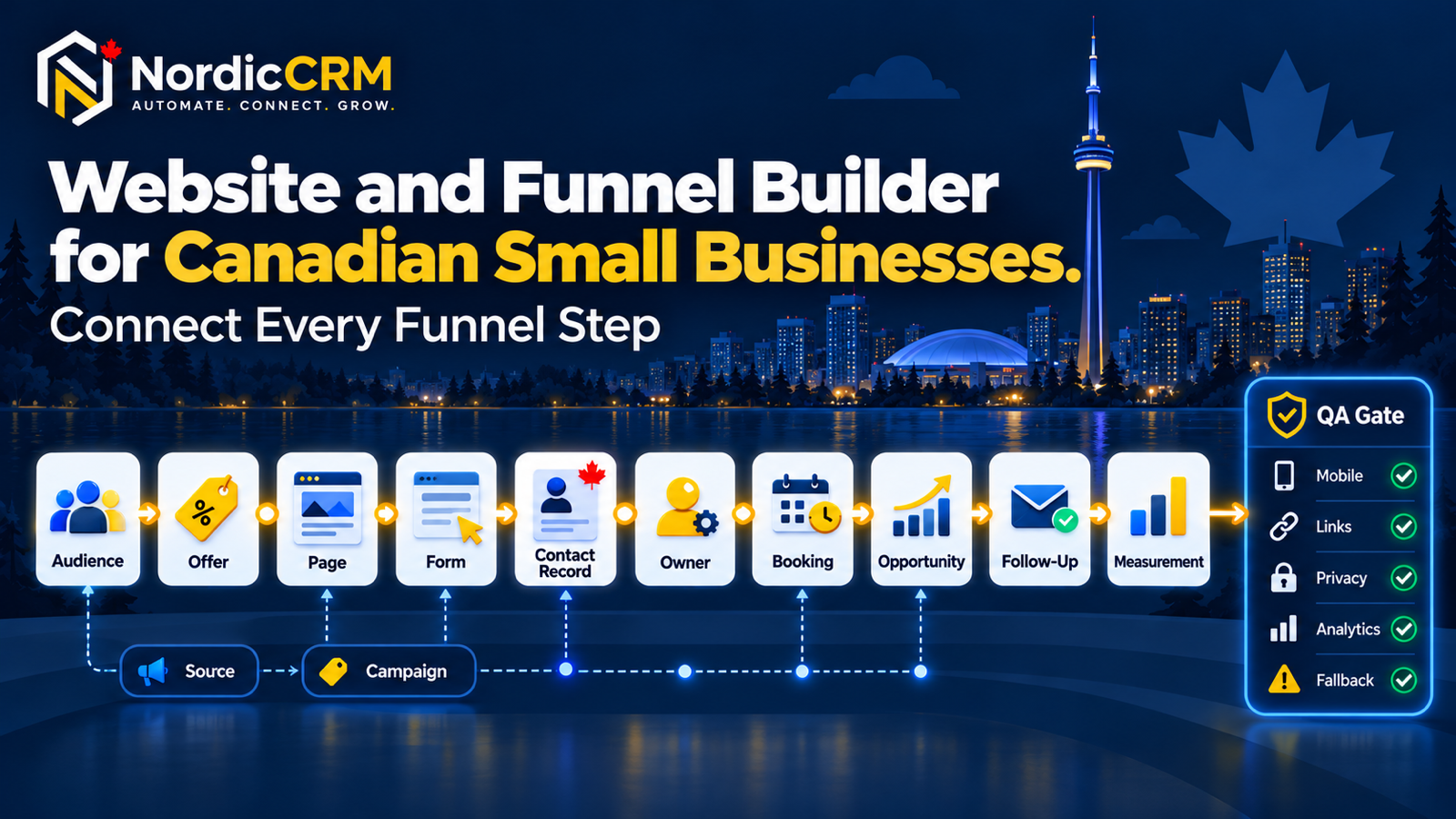
Connect your website or funnel to the CRM process behind it
Build one tested journey across the offer, page, form, calendar, contact, owner, opportunity, acknowledgement and follow-up.
Website, landing page or funnel?
Website
Supports broader navigation, trust, services, resources and multiple visitor intents.
Landing page
Focuses one audience on one offer or next step, often for a specific campaign.
Funnel
Connects one or more pages to a defined sequence such as form submission, booking, qualification, offer and follow-up.
The terms overlap in everyday use. The operating journey matters more than the label.
Seven parts of a conversion path
Audience
Identify who the page is for and the problem they need to solve.
Offer
State the value, boundaries, price context and next step clearly.
Evidence
Use truthful explanation, demonstrations or authorized proof.
Action
Choose one primary CTA and verify its destination.
Capture
Ask only for the fields needed to support the next step.
CRM workflow
Create the contact, source, owner, opportunity, acknowledgement and suppression rules.
Measurement
Record source, campaign, page, conversion event and attributed outcome.
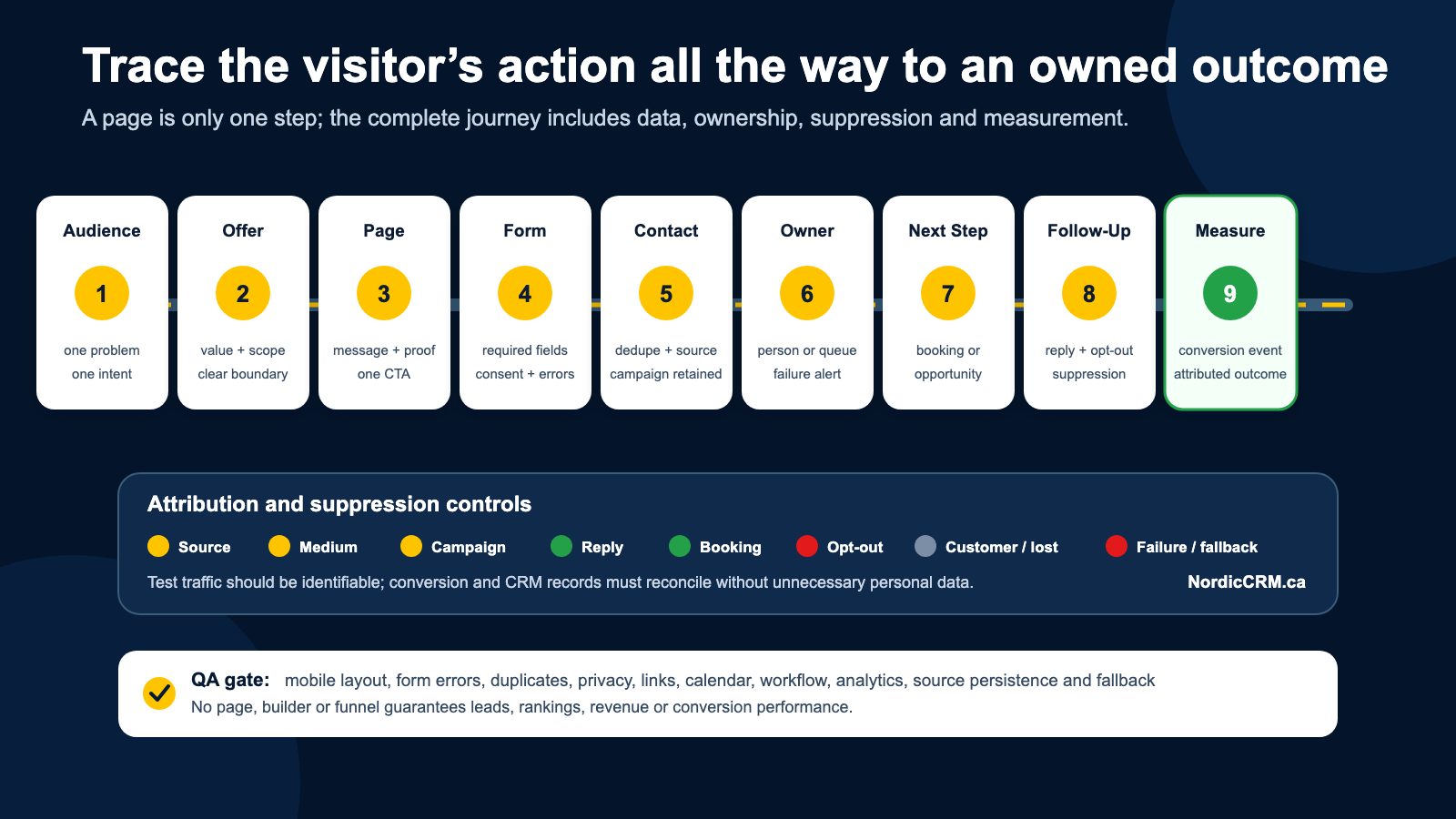
A funnel is an operating journey, not a promise of conversion. Results depend on the offer, audience, traffic, proof, page, workflow and team execution.
Pre-publication checklist
Message
- One descriptive H1.
- Clear audience, problem and next step.
- No unsupported rankings, guarantees or performance claims.
- Pricing, AI and usage disclosures where relevant.
Form and calendar
- Only necessary fields.
- Visible privacy and consent information.
- Valid error, duplicate and confirmation handling.
- Correct appointment, time zone and availability.
CRM workflow
- Source and campaign retained.
- One owner or monitored queue.
- Duplicate-safe opportunity logic.
- Reply, booking, opt-out, customer and Lost suppression.
SEO and analytics
- Unique title, description, canonical and H1.
- Crawlable copy, useful alt text and working internal links.
- Primary conversion event and UTM persistence.
- Test traffic excluded where practical.
Visual builder or custom HTML?
| Requirement | Visual builder | Custom HTML |
|---|---|---|
| Editing | Faster for approved block-based updates | Requires code and release discipline |
| Design flexibility | Good within component and builder constraints | Greater control over layout and behaviour |
| Maintenance | Suitable for trained content operators | Best with ongoing technical ownership |
| Performance | Depends on composition and custom scripts | Can be optimized deliberately but still depends on hosting and runtime |
| Best fit | Focused marketing pages and small sites | Custom interactions, design systems or performance-specific requirements |
NordicCRM Professional Services scopes visual-builder and custom-HTML work as different engagements.
Where NordicCRM fits
Connected implementation
NordicCRM can connect the page, form, calendar, contact, pipeline and workflow in one implementation powered by HighLevel.
Scope and cost clarity
The software subscription, domain, communication usage, phone, AI, copywriting, photography, advanced integrations, advertising and Professional Services may be separate.
Continue with automated lead response, the CRM integration guide and NordicCRM Professional Services.
Frequently asked questions
Can NordicCRM host a full website?
The platform supports websites and funnels. Suitability depends on content, functionality, integrations, SEO history and maintenance requirements.
Can a WordPress site be migrated automatically?
Do not assume an automatic transfer. Inventory URLs, content, forms, tracking, redirects, structured data and integrations, then choose a visual rebuild, redesign or custom implementation.
Does the builder guarantee better SEO or conversion?
No. Search and conversion performance depend on technical accessibility, content, authority, offer, traffic, competition, evidence and ongoing maintenance.
Does the platform make a business CASL-compliant?
No platform can guarantee compliance. NordicCRM can support consent, records and suppression controls, but the business remains responsible for lawful configuration and use.
Are communication, AI and implementation included?
Availability and billing depend on the current plan, usage and written scope. SMS, email, phone, AI, third-party services and Professional Services may create separate charges.
Connect the page to the process behind it.
NordicCRM can scope the page, CRM workflow, analytics and launch QA as one controlled project.
NordicCRM is powered by HighLevel. Features depend on plan and configuration. Domains, communications, AI, phone numbers, usage, third-party services and Professional Services may carry separate charges. Verify current terms and written scope before launch.