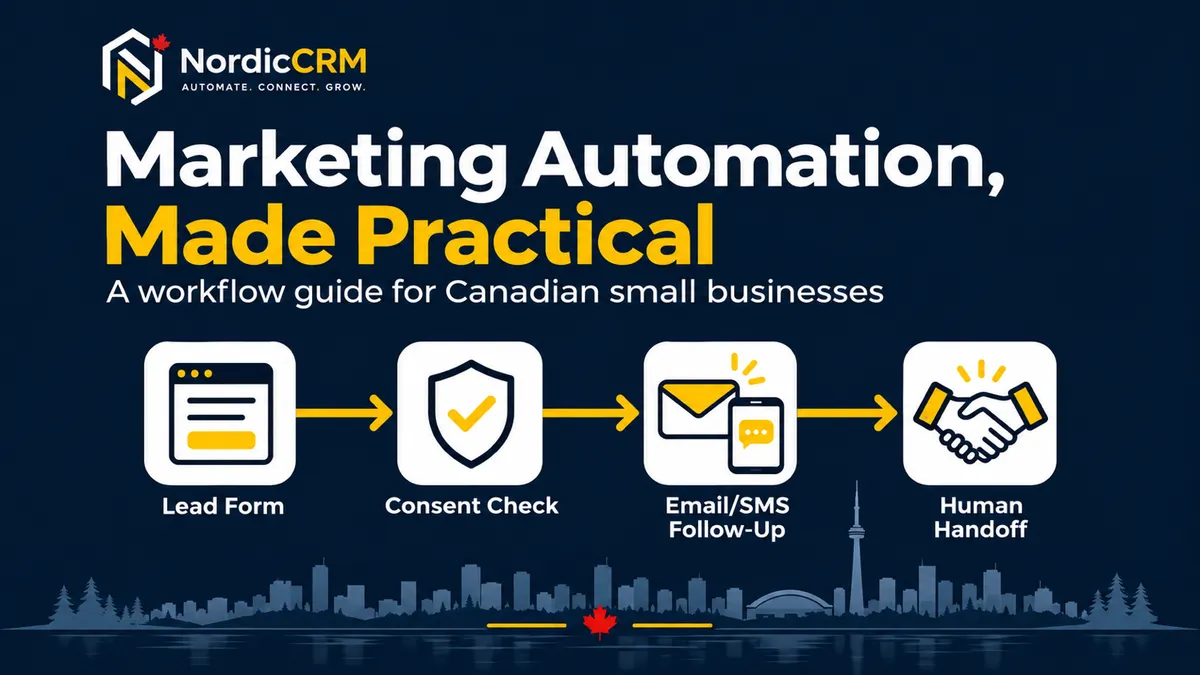
Sales and Marketing Automation for Canadian SMBs
Quick answer: A small business should automate repeatable steps such as enquiry acknowledgement, lead assignment, appointment reminders, follow-up tasks, pipeline updates and customer feedback requests. Keep consent, replies, unusual cases and commercial decisions under human control. Build one workflow at a time, test it with synthetic records, monitor failures and stop messages when the customer replies, books, opts out or no longer qualifies.
What sales and marketing automation means
Sales and marketing automation connects a business event to a controlled sequence of actions. A form submission might create or update a contact, record the source, assign an owner, send an acknowledgement and create a follow-up task. A booking might stop prospecting messages and begin appointment reminders.
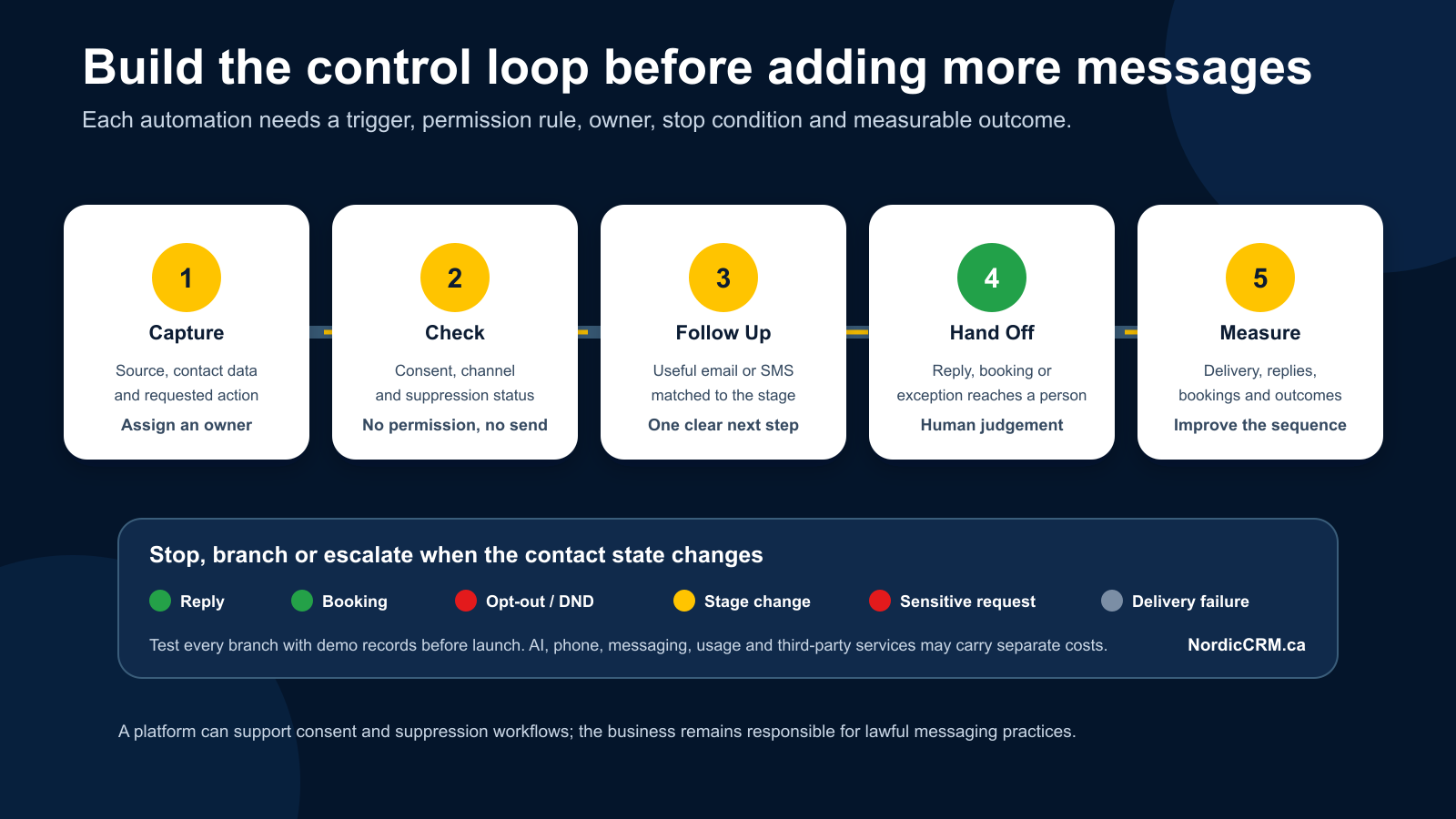
The useful unit is not “an automation.” It is a testable business journey with:
A precise trigger.
Required data and consent.
One accountable owner.
Approved actions and timing.
Stop and suppression rules.
A fallback for errors or uncertain cases.
A measurable business outcome.
Choose the first workflow by operational value
Start with a process that is frequent, repetitive and easy to verify. Avoid automating a broken process or a decision that still depends on judgement.
Candidate | Good first workflow when | Keep human-led when |
|---|---|---|
New enquiry acknowledgement | The same confirmation and next step apply consistently | The request may involve emergencies, sensitive information or unusual commitments |
Lead assignment | Ownership rules are clear by service, location or schedule | The correct owner depends on a complex commercial decision |
Appointment reminders | Booking, reschedule and cancellation rules are documented | Staff must approve every appointment or special accommodation |
Follow-up tasks | The trigger, due date and owner are predictable | The next action depends on a negotiation or unresolved complaint |
Feedback request | The service milestone is reliable and every eligible customer is treated consistently | The case is disputed, unresolved or subject to a service-recovery process |
Twelve practical workflows
1. Acknowledge a new enquiry
Trigger: A visitor submits an approved form, chat or supported lead source.
Actions: Create or update the contact, retain the source, send an acknowledgement, assign an owner and create the next task.
Stop or fallback: Route missing or invalid data to review. Do not promise an exact response time unless the business can consistently meet it.
Measure: Valid enquiries acknowledged, assigned and followed up.
2. Assign leads to the right owner
Trigger: A new qualified enquiry enters the CRM.
Actions: Apply documented rules for service, territory, calendar or team availability, then notify the owner.
Stop or fallback: Send uncertain matches to a monitored queue. Never allow an unassigned record to disappear silently.
Measure: Assignment coverage, reassignment rate and time to first owned action.
3. Recover missed calls
Trigger: A supported business number records a missed inbound call.
Actions: Create or update the contact, send an approved acknowledgement when appropriate, alert the team and create a callback task.
Stop or fallback: Respect existing opt-outs and channel rules. Phone numbers, carrier usage, messaging registration and delivery can carry separate costs.
Measure: Missed calls with an owned follow-up and the outcome of that follow-up.
4. Confirm and remind appointments
Trigger: An appointment is booked, rescheduled or cancelled.
Actions: Send the correct confirmation, schedule reminders, update the contact and opportunity, and notify the assigned staff member.
Stop or fallback: A cancellation or reschedule must suppress obsolete reminders. Test time zones, recurring bookings and staff reassignment.
Measure: Valid reminders, reschedules, cancellations and attended appointments.
5. Follow up after a quote or consultation
Trigger: A quote is delivered or a consultation is completed.
Actions: Create the next task, send approved follow-up at reasonable intervals and surface a stale opportunity for review.
Stop or fallback: End promotional follow-up on reply, booking, sale, loss or opt-out. Keep pricing and negotiation decisions with the owner.
Measure: Follow-up completion and opportunity outcomes, without claiming that automation caused every sale.
6. Keep the sales pipeline current
Trigger: A defined event such as a booking, completed task, signed agreement, payment result or manual stage approval.
Actions: Create or update the opportunity, preserve the owner and source, set the next step and flag stale records.
Stop or fallback: Do not move a deal solely because time passed when the stage represents a real business decision.
Measure: Opportunities with a valid owner, stage and next action.
7. Segment contacts for relevant campaigns
Trigger: A contact meets documented criteria such as service interest, lifecycle stage, province or consent status.
Actions: Add the contact to the correct dynamic segment and exclude contacts who do not meet the rules.
Stop or fallback: Never infer sensitive traits or treat a missing field as consent. Review imported fields before using them for targeting.
Measure: Segment coverage, exclusions, bounces, replies and opt-outs.
8. Run a consent-aware nurture sequence
Trigger: A contact has a documented basis for receiving the applicable commercial messages and enters a defined nurture path.
Actions: Send approved messages, wait for relevant events, create human tasks and branch by meaningful behaviour.
Stop or fallback: Commercial electronic messages sent to recipients in Canada require attention to consent, sender identification and unsubscribe requirements. Suppress future messages when the contact opts out and obtain legal advice for the business's circumstances.
Measure: Delivery, useful replies, bookings, opt-outs and complaints.
9. Hand a reply to a person
Trigger: A contact replies to an automated message or asks for help.
Actions: Stop the applicable sequence, assign the conversation, notify the owner and set a follow-up expectation.
Stop or fallback: Do not keep sending scheduled prospecting messages while a person is handling the response.
Measure: Replies with an assigned owner and resolved next step.
10. Begin customer onboarding
Trigger: A verified sale, signed agreement or approved payment event.
Actions: Update lifecycle status, create onboarding tasks, send only the approved welcome information and notify the delivery team.
Stop or fallback: Separate payment success, failure, refund and dispute events. Do not grant access or make financial changes from an ambiguous event.
Measure: Customers with the correct status, owner, tasks and onboarding milestone.
11. Request customer feedback consistently
Trigger: A documented service milestone that applies to every eligible customer.
Actions: Ask for honest feedback using the same neutral process and route service issues to a team member.
Stop or fallback: Do not screen customers by expected sentiment or present generated statements as customer reviews. Respect platform policies and customer preferences.
Measure: Request delivery, feedback received and service issues resolved.
12. Re-engage inactive opportunities for review
Trigger: A record has no qualifying activity for a documented period.
Actions: Create an owner task, verify the record and send an approved message only when the communication basis remains valid.
Stop or fallback: Close or suppress records that are no longer relevant. Do not use a stale list as automatic permission to market.
Measure: Records reviewed, corrected, closed, reactivated or suppressed.
A six-part workflow design
Use the same structure for every workflow:
Part | Required decision | Release evidence |
|---|---|---|
Trigger | What exact event starts the workflow? | Test record enters once under the intended condition |
Validate | Which fields, consent and status must be present? | Invalid and incomplete records follow the fallback |
Assign | Which person or queue owns the outcome? | Every qualifying record has a visible owner |
Act | Which message, task, update or notification is approved? | Content, sender, timing and destination are correct |
Stop | Which reply, booking, sale, loss, cancellation or opt-out ends the path? | Suppression tests prevent obsolete actions |
Measure | Which event and CRM field prove the result? | Analytics and CRM records reconcile without duplicate events |
Build one reliable journey first
Phase 1: Map
Write the journey in plain language. Identify the system of record, required fields, channel permissions, owner and desired outcome. Remove steps that do not support the next decision.
Phase 2: Build
Create the trigger, filters, actions, waits, branches and stop rules. Use descriptive names and record the reason for each branch. Keep paid services and usage controls visible.
Phase 3: Test
Use synthetic contacts. Test a new contact, an existing contact, missing data, duplicates, replies, bookings, cancellations, opt-outs, failed actions and permission-limited users. Avoid real customer messages, charges or subscriptions during testing.
Phase 4: Release and monitor
Publish only after the owner accepts the workflow. Review execution history, exceptions, replies, bounces, opt-outs, costs and attribution. Keep a rollback or manual fallback available.
What should remain human-led
Automation should not independently make decisions involving:
Complex pricing, discounts or contractual commitments.
Complaints, disputes, refunds or vulnerable customers.
Legal interpretations or compliance certification.
Sensitive personal information beyond the approved purpose.
Unverified AI-generated statements sent as factual advice.
Exceptional cases that fall outside documented rules.
AI-assisted builders can help draft or configure parts of a workflow, but the business must review the logic, data, messages, costs and outcomes. Feature access does not mean every AI service or execution is included in the CRM subscription.
Where NordicCRM fits
NordicCRM is a Canadian-owned CRM and automation service powered by HighLevel. Depending on the selected plan and approved configuration, NordicCRM can support contacts, opportunities, calendars, forms, conversations, email templates, campaigns and workflow automation.
Core NordicCRM subscriptions are billed in Canadian dollars. Email delivery, SMS/MMS, phone numbers and minutes, premium workflow actions, domains, payment processing, paid AI services, external applications and Professional Services may be charged separately. Current plan terms and a written implementation scope control.
NordicCRM can help a small team map one lead-to-customer journey, configure the supported workflow, test the branches and train the people responsible for daily use.
Frequently asked questions
What should a small business automate first?
Choose one frequent, repetitive process with a clear trigger, owner and outcome. New-enquiry acknowledgement, lead assignment or appointment reminders are often easier to test than a complex multi-channel campaign.
Does automation replace a salesperson or marketer?
No. Automation can handle repetitive routing, reminders, updates and approved messages. People still own judgement, exceptions, customer relationships and commercial decisions.
Can a workflow send both email and text messages?
Supported channels depend on the configuration, provider, registration and plan. Each channel needs approved content, consent or another valid basis where required, sender identification, suppression and cost controls.
How do we stop automation from sending the wrong message?
Use narrow triggers, validation, named owners, stop-on-response and suppression rules, controlled time windows, test records, execution logs and a rollback path. Test replies, bookings, cancellations and opt-outs before release.
Is AI included with NordicCRM automation?
Some AI-assisted builders may be available with the CRM plan, subject to platform limits. Customer-facing AI agents, advanced AI services and metered usage can require a separate subscription or authorization. Confirm the current plan and cost before activation.
Does using a CRM make our marketing CASL-compliant?
No. Software can support consent records, sender information, unsubscribe handling and suppression, but the business remains responsible for its practices and should obtain legal advice where needed.
Map one workflow your team can operate with confidence
Bring one lead source, your current follow-up steps, the people responsible and the desired outcome. NordicCRM can review the journey, identify supported automation and define a testable implementation scope.
Primary CTA: Book an automation workflow review
Destination: https://nordiccrm.ca/request-a-demo
Secondary CTA: Review NordicCRM pricing and AI costs
Destination: https://nordiccrm.ca/post/nordiccrm-pricing-ai-costs
Review the first workflow before adding more.
Bring your lead sources, current handoffs, communication rules and desired outcome.
Book an automation workflow review
Continue with the lead-response guide, CRM integration checklist and pricing and AI cost guide.